

Server Room Cooling for Small IT Spaces: Log 48 Hours, Fix Airflow
Size cooling to your measured IT load with a modest margin and N+1 redundancy. Fix airflow before buying new kit, then monitor inlet temperature continuously. Follow ASHRAE TC 9.9 envelopes and the rule that heat to remove roughly equals IT power draw (1 kW = 3,412.142 BTU/hr). Start today by fitting an inlet sensor and logging actual power draw for 48 hours before you specify anything.
TL;DR:
- Measure actual IT power draw in kW and add a 15-25% margin before selecting cooling capacity to account for future growth and hot spots.
- Install inlet temperature and humidity sensors at rack intake points and set multiple alarm thresholds to monitor temperature fluctuations effectively.
- Use the heat generated by IT equipment, converted from power draw, to size cooling units, ensuring N+1 redundancy for fail-safe operation.
- Proper airflow management, including sealing bypass points and implementing containment, can reduce inlet temperatures more cost-effectively than upgrading equipment.
- Engage professional installers for permanent system integration, leak detection, and compliance, rather than relying solely on DIY or temporary solutions.
Table of Contents
- First 24 to 72 hours: your server room cooling checklist
- What temperature and humidity should a server room run at?
- How do you calculate cooling load and size a system?
- Why airflow management matters more than most people think
- Which cooling method suits a small or medium server room?
- How should you monitor and set alarm thresholds?
- What mistakes cause the most server room failures?
- When should you bring in a professional installer?
- Publisher perspective: treat efficiency as risk reduction, not a nice-to-have
- How Akita can help with your server room cooling
- Sources
First 24 to 72 hours: your server room cooling checklist
Before you call a contractor or order a unit, spend a couple of days gathering real numbers. Guesswork is how rooms end up either badly undersized or needlessly expensive to run.
- Measure IT power. Read UPS or PDU output in kW, then add 10% for lighting and minor loads if the room has them.
- Place inlet sensors. Fit temperature probes at rack top, middle and bottom on the air intake side, not the exhaust.
- Calculate cooling need and add margin. Convert kW to BTU/hr, then build in 15–25% headroom plus a spare (N+1) unit.
- Apply short-term fixes if you’re overheating now. A portable air conditioning unit, a rented mini-split, or shedding non-critical load can buy you days.
- Set alarms immediately. Route warning and critical temperature alerts to SMS and email before you touch the permanent fix.
Get these five steps right and you already know more about the room than most facilities teams do before a failure forces the issue.
What temperature and humidity should a server room run at?
ASHRAE’s thermal guidelines define a recommended envelope and a wider allowable envelope for IT equipment, and both are meant to be read at the equipment’s air inlet, not at a wall thermostat three metres away. A reading taken at the door tells you almost nothing about what the processor at the top of rack three is actually breathing in.
Typical target bands used in practice:
- Recommended range: roughly 18 to 27°C (64 to 80°F) at the IT inlet
- Allowable range (short excursions, class A1/A2 equipment): can extend down to around 15°C and up to 32°C depending on equipment class
- Humidity: 40 to 60% relative humidity is the safe working zone, with dew point tracked alongside RH rather than instead of it
Set two alarm tiers rather than one. A warning at the edge of the recommended band gives you time to investigate; a critical alarm near the allowable boundary should trigger immediate action. Add a short time delay, perhaps two to five minutes, so a brief door-opening spike doesn’t page someone at 2am for nothing.
How do you calculate cooling load and size a system?
The sizing logic is simpler than most people expect: heat to remove is essentially equal to the electrical power the IT equipment draws. Servers convert almost all their input power into heat, so that power figure is your starting point.
- Measure total IT load in kW using UPS output or PDU readings, not nameplate ratings, which overstate real draw.
- Convert to BTU/hr using 1 kW = 3,412.142 BTU/hr.
- Add a margin to cover growth, measurement error and hot spots.
- Add N+1 redundancy so a single unit failure doesn’t take the room down.
- Match the total to supplier units, since manufacturers still quote capacity in tons as often as BTU/hr or kW.
A worked example makes this concrete:
Notice the room needing two smaller units rather than one large one. That’s the N+1 principle in action: if either unit fails, the other still holds the room within its allowable envelope while you get it fixed.
Why airflow management matters more than most people think
You can install the most capable cooling unit on the market and still run a hot room if cold supply air mixes with warm return air before it reaches the equipment. Separating the two airstreams is the cheapest, fastest improvement available to almost any server room, and Energy Star lists hot-aisle/cold-aisle layout as a leading measure for cutting data-centre energy waste for exactly this reason.
Look for these common culprits first:
- Empty rack slots with no blanking panels, letting hot exhaust recirculate straight back into the cold intake
- Cable cut-outs and floor penetrations left unsealed, wasting conditioned air into the subfloor
- Rack doors left open or removed, which destroys any front-to-back separation you had
- Underfloor or ceiling plenum bypass, where cold air escapes before it ever reaches a rack
For a small room, containment doesn’t need to mean a full engineered enclosure. A simple curtain across the cold aisle, a lockable rack with sealed sides, or even foam blanking panels at £2 to £3 each can noticeably drop inlet temperatures within a day. Rack or row containment scales down surprisingly well.
Pro Tip: Walk the room with a basic thermal imaging camera, or just your hand, along rack fronts. Cold spots at floor level next to warm spots at head height usually mean bypass air is short-cutting your cooling before it does any useful work.
Which cooling method suits a small or medium server room?
There’s no single right answer here. The right choice depends on load, budget and how much downtime you can tolerate while equipment is serviced.
- Precision CRAC/PAC units. Built for continuous 24/7 duty with tighter temperature and humidity control than comfort cooling. Worth the extra cost once the room holds anything business-critical, since these units are designed around exactly the load-cycling patterns servers produce.
- Ductless mini-splits and comfort AC. For rooms under roughly 5 kW of total IT load, a well-specified mini-split can be genuinely cost-effective, provided condensate drainage and leak detection are addressed properly. These weren’t designed for server rooms, so that detailing matters more than it would in a living room installation.
- Portable spot coolers and rentals. Useful as a stopgap during a heatwave or while a permanent unit is being fitted, but not a long-term answer. They’re loud, they need somewhere to exhaust heat, and they fail more often under continuous duty than fixed equipment.
- In-row and rear-door heat exchangers. Worth considering once density climbs, because they remove heat right at the source rather than conditioning the whole room. Beyond that, very high-density racks sometimes justify liquid cooling; NREL’s research on warm-water liquid cooling shows real energy advantages, but that’s a deployment scale well beyond most small server rooms.
How should you monitor and set alarm thresholds?
Good monitoring is the difference between catching a failing unit at 3am with a text alert and finding out at 9am when someone can’t log in. Practitioner guidance from DPS Telecom recommends tracking several signals together rather than relying on a single reading.
- Sensor placement: inlet dry-bulb temperature at each rack, plus humidity sensors in containment zones and leak sensors under raised floors or near condensate lines.
- Core metrics to log: inlet temperature, relative humidity alongside dew point, the supply-to-return temperature delta, and power draw.
- Alarm tiers: a warning band near the edge of the recommended range, a critical band near the allowable limit, each with a short delay to filter out noise.
- Redundancy briefing: when you brief a vendor or contractor, specify N+1 explicitly and ask how the system alerts on individual unit failure, not just room temperature.
Dew point deserves particular attention if your setup uses free cooling or economisers, since relative humidity alone can mask a real moisture problem when outdoor conditions swing widely.
What mistakes cause the most server room failures?
Most cooling failures trace back to a handful of repeat offenders rather than exotic causes.
- No growth margin. A room sized exactly to today’s load has nothing left when you add two more racks next year.
- Missing blanking panels and cable clutter. Bypass air quietly undermines even a correctly sized system.
- UPS batteries sitting in the hot aisle. Every extra degree above around 25°C measurably shortens battery lifespan.
- Neglected filters and condensate drains. A blocked filter starves airflow; an unattended condensate line eventually floods the floor it’s sitting on.
Fix these four and you’ll likely solve more heat problems than any single piece of new equipment would.
When should you bring in a professional installer?
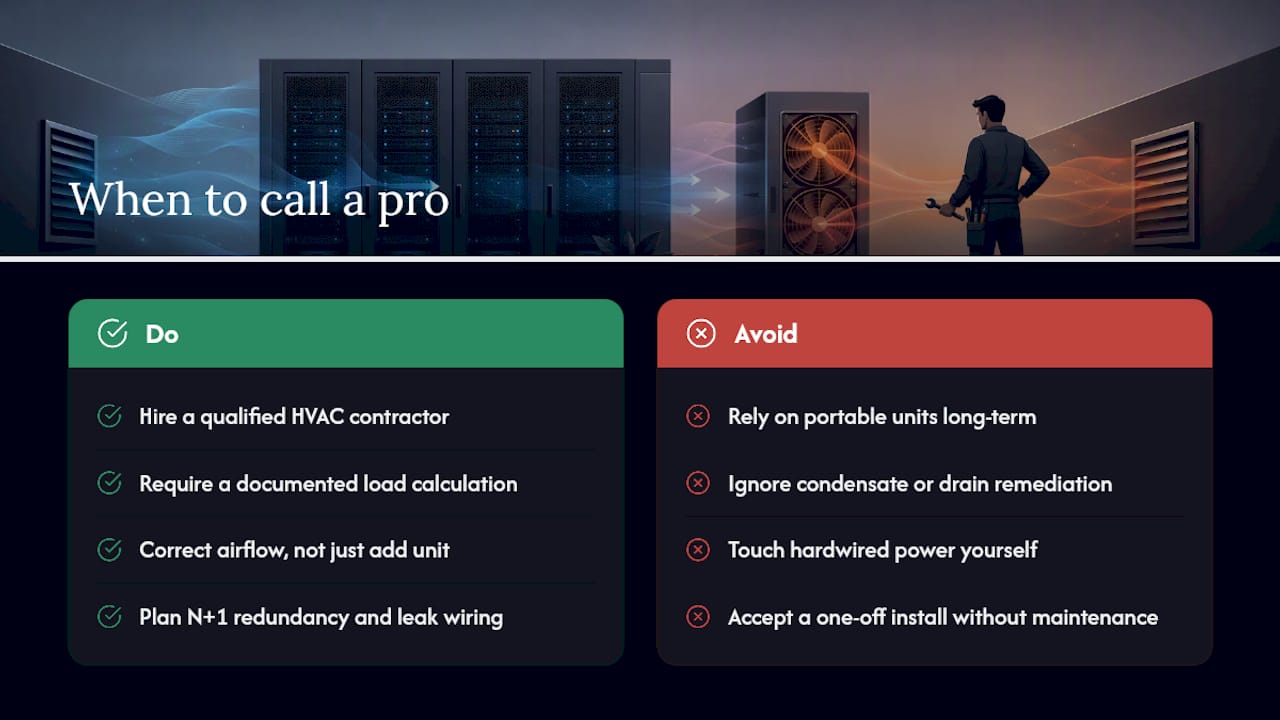
DIY fixes such as blanking panels and portable units handle short-term stabilisation well. Permanent precision installs, chiller tie-ins, in-row deployments and any condensate or drain remediation sit in different territory, and that’s where a qualified HVAC contractor earns their fee.
A proper professional scope should include a documented load calculation, airflow correction (not just a new unit dropped into an unfixed room), redundancy planning built around N+1, leak detection wiring, and an ongoing maintenance contract rather than a one-off install. Any work touching hardwired power or new circuits should also follow recognised electrical safety standards. Akita handles exactly this scope for commercial clients across Suffolk, Norfolk and Essex, from initial sizing through to transparent, fixed-price installation and maintenance memberships that keep the system serviced long after the install van has left.
Publisher perspective: treat efficiency as risk reduction, not a nice-to-have
Cheap, undersized cooling doesn’t just waste electricity. It shortens equipment life and turns every hot afternoon into a support ticket. Lower running cost and lower failure risk usually come from the same decisions: proper containment, right-sized N+1 capacity, and units chosen for maintainability rather than the lowest sticker price. Build a seasonal check into your calendar too. Filters, condensate lines and sensor calibration drift, and they drift quietest right before they fail loudest.
— Akita
How Akita can help with your server room cooling
Beyond domestic and comfort cooling, Akita installs and maintains commercial systems built around exactly the issues this guide covers: condensate and drip prevention, wiring left ready for monitoring sensors, and maintenance plans that catch a failing filter before it becomes a failing rack.

Before you request a quote, have three things ready: your measured IT load in kW, a few photos of the room layout including rack positions and any existing ductwork, and your preferred redundancy level (N+1 is the sensible baseline for anything business-critical). If the room needs plant-room level work such as chiller tie-ins, specialist plant installation partners can also handle that side of the job. For everything else, from a single dedicated unit to a full commercial fit-out, get a quote for commercial air conditioning installation and Akita will size the job properly before a single component gets ordered.
Sources
For sizing and inlet-based measurement, consult ASHRAE’s thermal guidelines. For fire and environmental-control requirements, see NFPA 75. For efficiency measures, Energy Star’s data-centre guidance covers containment in detail, while NREL’s liquid cooling research is worth reading once density climbs beyond what air cooling handles comfortably.