

What is smart AC integration? A UK homeowner's guide
TL;DR:
- Smart AC integration allows remote control, scheduling, and energy monitoring through smart home platforms. It offers savings, convenience, and environmental benefits, especially when using two-way communication controllers with ModBus or RS485. Compatibility, standards, and proper installation are essential for effective and secure smart system setup.
Smart AC integration connects your air conditioning system to your smart home technology so you can control, schedule, and monitor it remotely. Rather than walking to a wall unit or hunting for a remote, you manage temperature from your phone, set it to cool down before you arrive home, or let it adjust automatically based on occupancy. In the UK, this typically works through Wi-Fi, infrared signals, or dedicated smart controllers, and ties into platforms like Google Home, Amazon Alexa, or Apple HomeKit.
Here is what smart AC integration covers at a glance:
- Remote control via smartphone apps, anywhere with an internet connection
- Voice control through Google Home, Amazon Alexa, or Apple HomeKit
- Automated scheduling to cool or heat rooms only when needed
- Energy monitoring to track consumption and reduce waste
- Maintenance alerts that flag issues before they become costly repairs
- Compatibility with UK standards, including BS EN 50631-2:2023 for smart appliance connectivity
What are the real benefits of smart AC integration?
The most immediate benefit is lower energy bills. Smart AC systems avoid the common habit of leaving cooling running in empty rooms, and adaptive scheduling means the unit only works hard when it genuinely needs to. AI-driven retrofit controllers can reduce running costs by around 20% on average without affecting room temperature comfort, confirmed through integrated measurement and verification data logging.
Beyond bills, there is the convenience factor. You can turn the system on during your commute home, set different temperatures for different rooms using smart zoning, and receive alerts if something goes wrong with the unit. Smart thermostats with zoning capabilities, such as the Resideo evohome, let you create per-room schedules and avoid conditioning spaces nobody is using.
The environmental case is straightforward too. Less energy wasted means a smaller carbon footprint, and the BS EN 50631-2:2023 standard for household appliance network connectivity specifies that heat pump air conditioners can reduce energy consumption by 15–20% when responding to grid price signals automatically.
Key stat: AI-driven retrofit controllers deliver an average 20% energy saving without changing room temperature comfort, with a typical return on investment within three years.
- Lower bills through scheduling and adaptive control
- Convenience via remote and voice operation
- Maintenance visibility with real-time alerts and diagnostics
- Reduced carbon footprint through smarter energy use
- Longer equipment life when compressor cycling is managed intelligently
How can you integrate your AC with smart home technology?
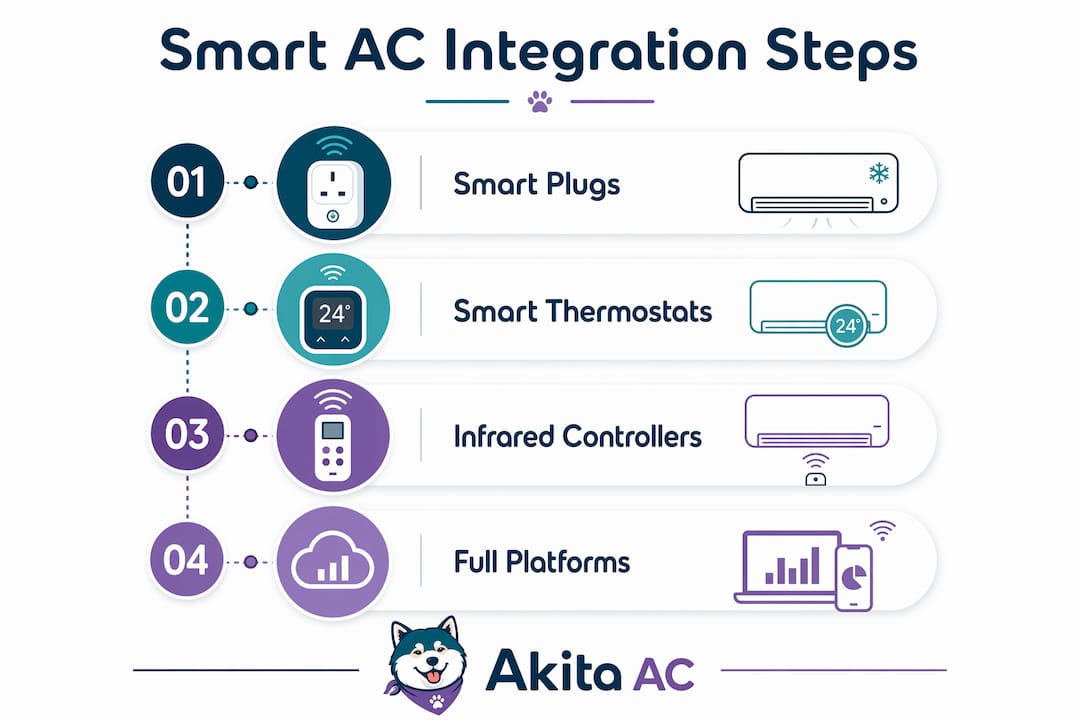
There are four main routes, ranging from a quick plug-in fix to a fully wired automation system. The right choice depends on your existing AC unit, your smart home platform, and how much control you actually want.
Smart plugs
The simplest option. A smart plug sits between your AC unit and the wall socket, giving you remote on/off control through an app. It works with most platforms and costs very little. The catch is that it cannot adjust temperature, change modes, or read the unit’s status. Fine for a portable unit; not enough for a split system.
Smart thermostats
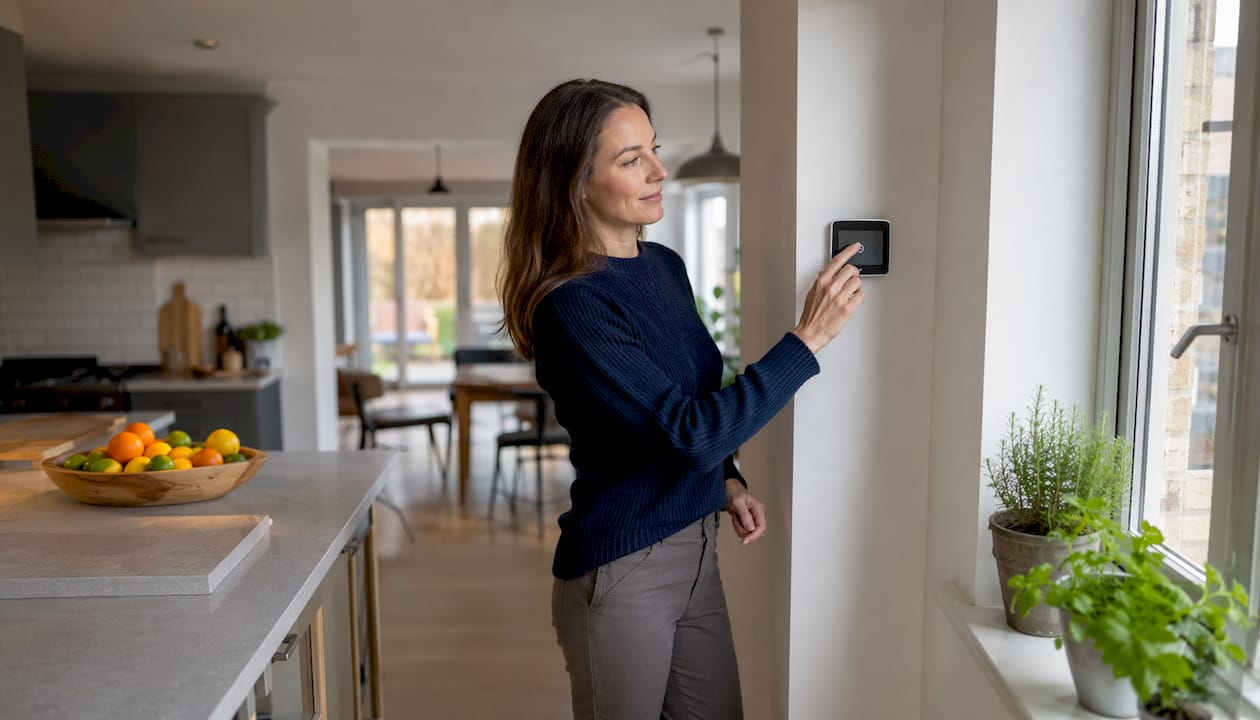
A step up in capability. Devices like the Resideo evohome support up to 12 heating and cooling zones, letting you set individual schedules per room. They connect via Wi-Fi and integrate with voice assistants. For UK homeowners with multi-room setups, AC zoning through a smart thermostat is one of the most practical upgrades available.
Infrared (IR) retrofit controllers
These clip onto your existing unit and mimic the original remote control using infrared signals. Tuya Smart devices fall into this category, and they work with Google Home, Amazon Alexa, and Apple HomeKit. The limitation is one-way communication: the controller sends commands but cannot read back the unit’s actual state. You cannot confirm whether the AC actually changed mode, and energy optimisation is limited as a result.
Direct communication controllers and full platforms
The most capable approach. Systems like the Daikin Online Controller and Hisense ConnectLife use Wi-Fi connectivity and native app control, with full compatibility across Google Home, Amazon Alexa, and Apple HomeKit. Controllers using ModBus or RS485 interfaces offer two-way communication, meaning the system can read real-time status, manage compressor cycling intelligently, and report faults. That feedback loop is what separates genuine smart control from basic remote switching.
Pro Tip: If your AC unit has a ModBus or RS485 port, prioritise a controller that uses it over an IR blaster. Two-way communication gives you real energy data and smarter compressor management, not just remote on/off.
What should you check before integrating your AC system?
Compatibility is the first question. Not every AC unit speaks the same language as your smart home platform, and discovering that after purchase is frustrating. Check whether your unit supports Wi-Fi natively, has a ModBus or RS485 port, or requires an IR retrofit controller. Daikin, Hisense, and units compatible with Tuya Smart all have clear compatibility documentation.
- Protocol support: confirm whether your unit uses Wi-Fi, ModBus, RS485, or IR
- Ecosystem fit: choose devices certified for your platform (Google Home, Apple HomeKit, Amazon Alexa)
- Installation complexity: direct communication controllers often require a qualified engineer; IR blasters are DIY-friendly
- Cost: smart plugs cost very little; full system automation involves hardware, installation, and potentially ongoing subscription fees
- Warranty impact: some manufacturers void warranties if third-party controllers are wired directly to the unit
- Data privacy: connected devices transmit data over the internet, so check the manufacturer’s privacy policy and whether data is stored locally or in the cloud
Security deserves specific attention. Encrypted communication using TLS 1.2 and two-factor authentication are the baseline standards for secure smart home devices. Emerging protocols like EEBUS use the WebSocket protocol over TLS 1.2 mutual authentication between all connected nodes, which sets a solid security floor for HVAC integration.
Pro Tip: Before buying any smart AC controller, check whether it receives regular firmware updates. A device that stops receiving security patches becomes a vulnerability on your home network within a year or two.
Which smart AC approach works best for UK homes?
The UK market is moving towards open interoperability standards, and that shift matters when you are choosing equipment. The Matter protocol enables automatic device discovery and native voice control across smart home brands, meaning a Matter-certified AC controller should work with any Matter-compatible thermostat or hub without custom configuration. EEBUS goes further for energy management, allowing HVAC devices from different manufacturers to coordinate power consumption automatically, which is particularly useful if you have solar panels or a battery storage system.
For most UK homeowners right now, the practical advice is to prioritise ecosystem harmony. If your home already runs on Apple HomeKit, choose AC devices with HomeKit certification. Mixing platforms creates fragmented control experiences where some devices appear in one app and others in another.
- Matter-certified devices offer the broadest future compatibility across platforms
- EEBUS-enabled systems suit homes with solar PV or battery storage, coordinating energy use automatically
- Direct communication controllers (ModBus/RS485) outperform IR blasters for energy savings and diagnostics
- BS EN 50631-2:2023 compliance confirms a device meets UK and European smart appliance connectivity requirements
- Professional installation protects your warranty and ensures the system is configured correctly from day one
Akita installs and maintains smart-ready AC systems across Suffolk, Norfolk, and Essex, and the team can advise on which integration approach fits your existing setup. Getting the hardware right at installation is considerably easier than retrofitting smart controls to a system that was not designed with them in mind. For broader guidance on smart HVAC performance, the principles of ecosystem compatibility and two-way communication apply regardless of brand.
How do you set up smart AC integration step by step?
Setting up smart AC integration follows a consistent process regardless of which method you choose.
- Audit your existing AC unit. Identify the make, model, and available ports (Wi-Fi module slot, ModBus, RS485, or IR-only). Check the manufacturer’s app and compatibility list.
- Choose your integration method. Smart plug for basic control, IR controller for retrofit, or a native Wi-Fi/direct communication controller for full functionality.
- Select a compatible smart home platform. Confirm the controller or device is certified for Google Home, Amazon Alexa, or Apple HomeKit, whichever you use.
- Install the hardware. IR controllers and smart plugs are typically DIY. Direct communication controllers wired to the AC unit should be fitted by a qualified engineer to avoid warranty issues.
- Connect to your home network. Follow the manufacturer’s app setup to connect the device to your Wi-Fi. Use a 2.4GHz network if the device does not support 5GHz.
- Integrate with your smart home platform. Add the device in Google Home, the Home app, or the Alexa app. Assign it to a room and configure any automation routines.
- Set schedules and test. Create cooling or heating schedules, test voice commands, and verify the unit responds correctly. Check the app confirms the unit’s actual status if using a two-way communication controller.
Common problems with smart AC integration and how to fix them
Device not appearing in the smart home app. The most common cause is a 5GHz Wi-Fi connection. Most smart AC controllers only support 2.4GHz. Switch your phone temporarily to the 2.4GHz band during setup.
IR controller not responding reliably. Check the line of sight between the controller and the AC unit’s IR receiver. Obstructions or strong ambient light can interfere. Repositioning the controller a few centimetres often resolves it.
Schedules not running as expected. Confirm the device’s time zone is set correctly in the app. A mismatch between the device clock and your local time causes schedules to fire at the wrong time.
App shows incorrect temperature or status. This is a known limitation of IR-only controllers, which cannot read back the unit’s state. Upgrading to a direct communication controller with ModBus or RS485 resolves this entirely.
Integration dropping out after a router restart. Assign a static IP address to the smart AC controller in your router settings. Dynamic IP allocation can cause the device to appear on a different address after a restart, breaking the connection.
Key takeaways
Smart AC integration gives UK homeowners remote control, automated scheduling, and real energy savings, but the method you choose determines how much of that potential you actually unlock.
| Point | Details |
|---|---|
| Two-way communication matters | ModBus/RS485 controllers outperform IR blasters by reading real-time unit status and managing compressor cycling. |
| Energy savings are measurable | AI-driven retrofit controllers deliver around 20% average energy savings, confirmed by integrated data logging. |
| Ecosystem compatibility first | Choose devices certified for your existing platform (Google Home, Apple HomeKit, or Amazon Alexa) to avoid fragmented control. |
| UK standards apply | BS EN 50631-2:2023 sets connectivity and energy flexibility requirements for smart heat pump air conditioners in the UK. |
| Professional installation protects your investment | Wiring direct communication controllers without a qualified engineer can void the manufacturer’s warranty. |